The Word42 logo: a sheet of paper marked W42, beside the name in blue underlined serif

Written from scratch in C on GTK 4, Pango and Cairo: a menu bar, two toolbars, a ruler, a status bar and a page. Inspired by classic Microsoft Word and AbiWord, on a modern text stack that handles Unicode, OpenType and complex scripts properly.

Download View on GitHub

New in 1.0.4: Word 97 .doc as the default format, WordPerfect files, Make It Fit and page numbers from any page. Coming in 1.0.5: LaTeX mode, for PDFs that look like a thesis.
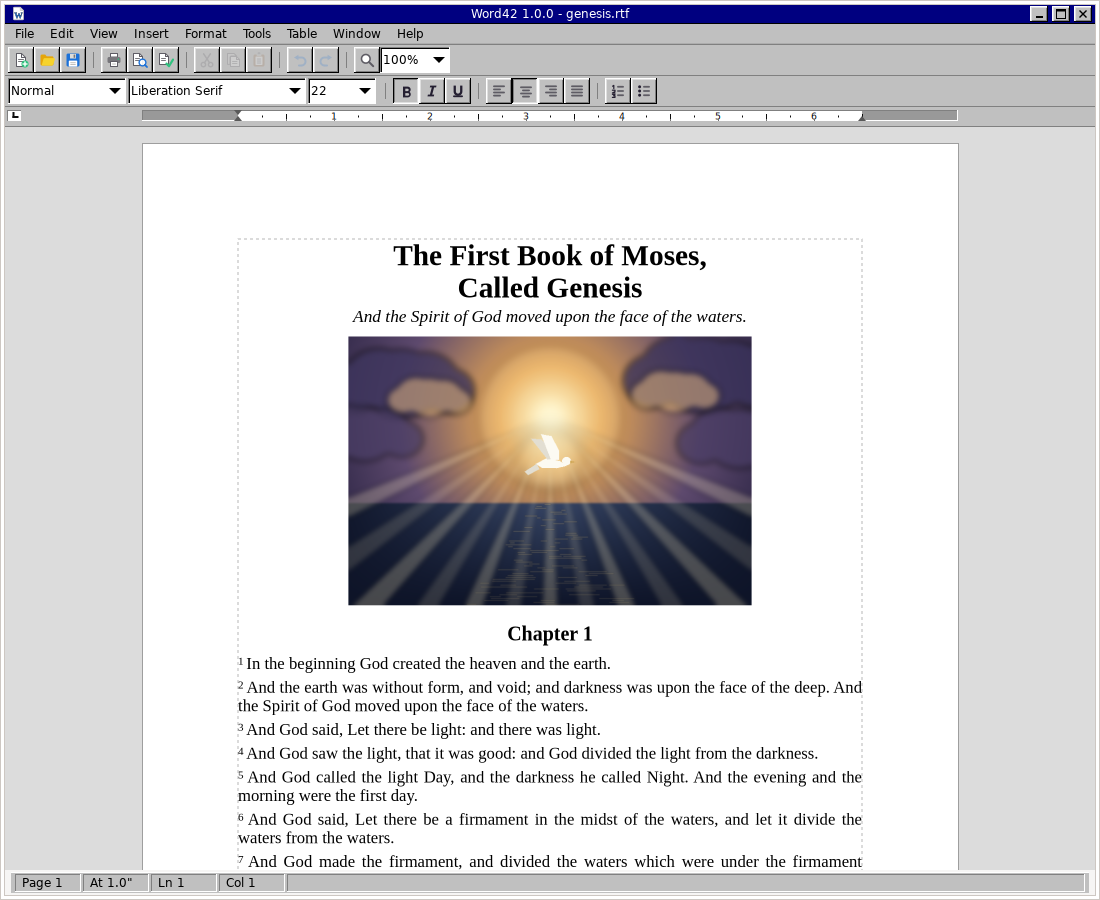
Word42 1.0.4 in Page Layout view: the Book of Jonah from the King James Bible, its first verses set with superscript numbers under a blue heading beside a picture of a great fish in deep water

Word42 in Page Layout view.

Features

A working word processor, not a demo — everything below ships today.

Writing and editing

  • Typing, selection and undo the way you expect
  • Find and replace
  • A split window on one document
  • Autosave every two minutes, with recovery

Formatting

  • Fonts, colour, bold, italic, underline, super- and subscript
  • Styles and numbered headings — 1, 1.1, 1.2
  • Bulleted and numbered lists
  • Newspaper columns, balanced on the last page

Page layout

  • Headers, footers, and page numbers that begin on any page
  • Footnotes and endnotes
  • Tables with merged cells, pictures
  • Make It Fit — shrink or stretch to a page count
  • Page-layout view and print preview

Tools

  • Spelling, thesaurus and hyphenation
  • Mail merge, envelopes and labels
  • Macros in a dialect of VBA
  • Compare Documents and a Document Map
  • Table of contents and an index
  • Templates, AutoText and AutoFormat

File formats

  • Word 97 .doc — the default — and .docx
  • RTF and OpenDocument .odt
  • WordPerfect .wpd, 5.x and 6 onwards
  • AbiWord .abw, HTML, PDF and plain text
  • EPUB e-books and LaTeX .tex out

Modern text, fast

  • Unicode, OpenType and complex scripts via Pango
  • Long documents stay quick — a keystroke lays out only what it changed
  • Pages break in the same place at every zoom, on every screen
  • The user guide travels inside the program — press F1

For writers

  • Quotation marks and dialogue dashes set the way the language does
  • A word-count goal in the status bar
  • A Novel template and typewriter scrolling
  • EPUB export, and word42 --convert-to=pdf|epub|odt

LaTeX mode 1.0.5

  • PDFs typeset by LaTeX, in the Latin Modern of papers and theses
  • Knuth's line breaking, ligatures, microtype and hyphenation
  • Headings, notes, lists, tables and pictures carried over
  • Uses Tectonic, MiKTeX or TeX Live, whichever is installed

In your language

  • Menus and dialogs in the ten most spoken languages in the world
  • Chinese, Hindi, Spanish, Arabic, French, Bengali, Portuguese, Russian, Urdu
  • Arabic and Urdu laid out from the right
  • Spelling and hyphenation follow the document's language

The user guide describes every command in the program; the status page and architecture notes tell the rest, and the changelog says what each release brought.

Get Word42

Windows

Get it from the Microsoft Store

The installer is also on the releases page.

macOS

An unsigned Word42.app from the releases page. First launch is a right-click ▸ Open.

Linux

Build from source with Meson — docs/BUILD.md has the details; a Flatpak manifest is in build-aux/.